Word Clouds: Crime and Punishment
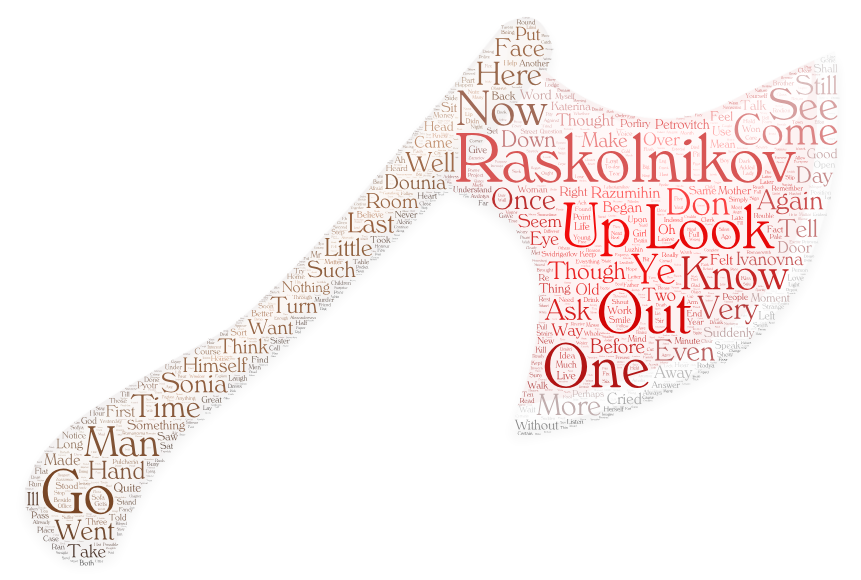
As an experiment, I decided to make a word cloud using wordart.com and the text of the novel Crime and Punishment by Fyodor Dostoyevsky which I accessed from Project Gutenberg. Before this, I had not made a word cloud and I was expecting the cloud (or in this case, a word axe) to offer a kind-of summary by way of collecting all of the most common words in the novel in one nice visual. I assumed that the most common words would elucidate some themes from the book or at least bring up some plot or character elements. The most common word is Raskolnikov, the main character’s surname, but otherwise the top of the list has commonplace words like Look, Up, One, Out, Go, Know, and Ye. These are not exactly helpful for determing anything specific. I even had to remove some words because they were not really words and were just the ends of contractions, like ll, and ve.
So, I decided to create another word cloud on a different website (edwordle.net) using the same textual input. I was surprised by the results.
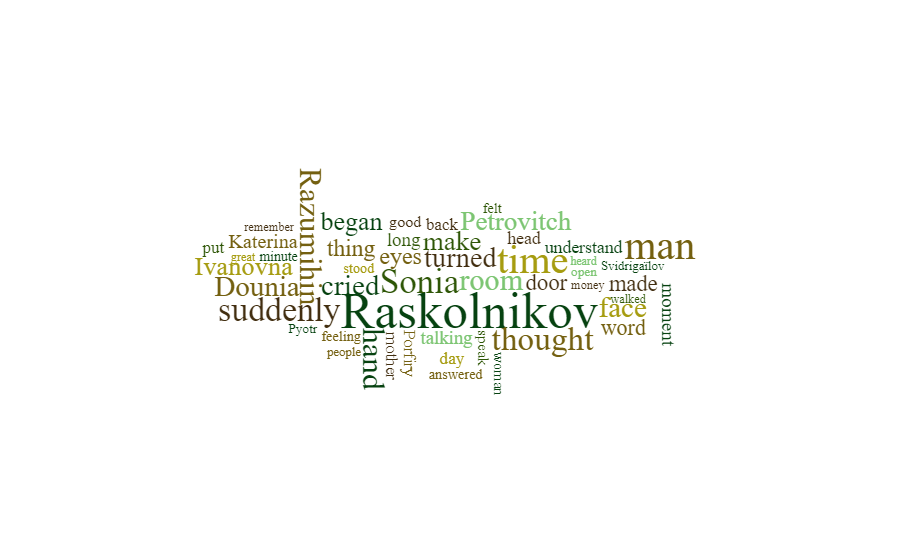
In this word cloud, Raskolnikov still dominates but is joined by other core characters such as Sonia, Razumihin, Dounia, and Petrovich. We also have more evocative words like Suddenly, Thought, Cried, and Time. Having red this book, I can safely say that this word cloud says “Crime and Punishment” much more so than does the word axe above. Both websites feature functions that filter out common words, but the latter site does so with more prejudice against those common verbs and nouns like look, know, go, and up. My only point for the former word cloud site is that it is more visually customizable. I certainly prefer the evocative axe shape, which is the murder weapon in the titular crime, because it is more visually meaningful to the novel and more visually appealing than the simple word cluster in the second cloud. If I fiddled with the words in the former cloud to make it feel as meaningful as the latter, I would be more pleased with the overall result. This, however, would take more time and energy than perhaps I want to spend on such a visual.
Applications for Teaching
Word clouds are certainly not new – the program only has to search and sort a word list and then compile the most common – but it is interesting to consider their applications for teaching. With a well-programmed word cloud tool, it can get the gist of whatever text is entered, like the second one that I made. This can be used to find the big ideas in such works as scientific journals, novels, art critiques, or computer programs – by either students or teachers. A teacher could even collect student works and compile those into a word cloud, which would show the most common words used by the class in their papers or assignments. This can be used to spark a discussion as to why certain words are more common than others, or as an example of why the word cloud website failed at collecting the big ideas like it did in my first word cloud. The barrier to entry on creating these is also very small. All a teacher or student needs is a block of text and internet access – no logins or accounts or empty A.I. promises necessary.